Posts

Euclidean Algorithm with Example in Java

Image
Euclidean Algorithm is a way to finding GCD (Greatest Common Divisor) of two integers quickly. If we have two integers (A, B) and we want to find out gcd(A,B) then Euclidean Algorithm is one of the best technique. Application Of Euclidean Algorithm For finding GCD of two numbers Euclidean Rythms : developed by GodFried Tourssaint in 2004 and described in a 2005 paper "The Euclidean Algorithm generates Traditional Musical Rhythms. The Algorithm If A=0 then GCD(A,B)=B since GCD(0,B) and we can stop If B=0 then GCD(A,B)=A since GCD(A,0) and we can stop Example: import java.util.*; public class EuclideanAlgorithm { public static void main(String arg[]) { Scanner sb = new Scanner(System.in); int a, b, q, r; System.out.println("Enter value of A :"); a = sb.nextInt(); System.out.println("Enter value of B :"); b = sb.nextInt(); if (a == 0) { System.out.println("gcd(...
Wrapper Class in Java

Image
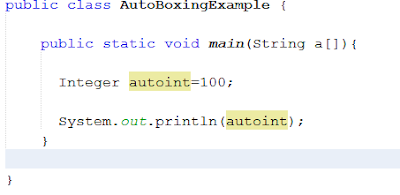
J ava is Object Oriented Programming language and can be view everything as an object i.e. a file can be treated as an object,  image can be treated as an object and similarly primitive data type which are not object  can be treated as an object (with Wrapper class). In simple way we can define Wrapper class is a mechanism to convert primitive data type into an object and also an object in to primitive data type . for example : Suppose num1 is an ineteger variable like this int num1; we want to create an object of num1 then with help of wrapper class it is possible i.e. we can create an object of  num1 of its corresponding wrapper class Integer like this Integer n1 =new Integer(10); num1=n1; Note  : java.lang package contains Wrapper classes The eight classes of  java.lang  package are known as wrapper classes in java, following table Contains Primitive data and  its corresponding wrapper class. ...

Add Item in list box inside chart sheet using vba

Image
I have written macro for adding elements inside form control listbox using vba on chart sheet but after writting following code elements are successfully added inside simple worksheet but not added inside chart sheet Sub showChartDataList() Set o = ActiveSheet.Shapes("List Box 2") o.ControlFormat.RemoveAllItems o.ControlFormat.AddItem 1 o.ControlFormat.AddItem 2 o.ControlFormat.AddItem 4 o.ControlFormat.AddItem 5 o.ControlFormat.AddItem 1 o.ControlFormat.AddItem 2 o.ControlFormat.AddItem 4 o.ControlFormat.AddItem 5 o.ControlFormat.AddItem 1 o.ControlFormat.AddItem 2 o.ControlFormat.AddItem 4 o.ControlFormat.AddItem 5 o.ControlFormat.AddItem 1 o.ControlFormat.AddItem 2 o.ControlFormat.AddItem 4 o.ControlFormat.AddItem 5 End Sub Excel Sheet listBox (successfully Added) chart sheet listbox (Elements not Added)

Run-time error '1004' Method 'Rows' of Object_Global failed

Hey ! I am writing VBA code for finding last_row of next sheet inside a chart sheet, in chart I a using Chart_MouseUp and Chart_MouseDown function here I am explaining Chart_MouseUp  inside  Chart_MouseDown event I am taking I am taking chart start point x and y co-ordinate and and on Chart_MouseUp  event I am taking chart end point x and y co-ordinate and after this process I am storing start point and end end point x co-ordinate inside next sheet "AQ" column for this purpose I have to know number of cell which is blanked inside AQ column for this I have to know last_Row of AQ cell and for this purpose I am using this code                    Dim last_Row As Integer                   last_Row = Sheets(5).Range("B" & Rows.count).End(xlUp).Row                   MsgBox last_Row  Run-time error '1004'  Method 'Rows'...

Interactive Chart Shows Start point and End Point Using MouseDown and MouseUp Event in Vba

Image
Hi Friends !  Today I will discussed how to select specified location inside a chart using Vba I am facing this problem from 2-3 days but now I got exact solution to Operate such type of Problem. To explain this scenario I took some data that by which I could create a chart and so I generate a  Sheet which contains some data  Now, I select data containing columns and press F11 and then it automatically generate a chart sheet like this Now I will go to developer tab and click on chart as circled portion shown below  inside image and then a window will be opened  Inside  that window paste the given code like this Code Dim startX As String Dim startY As Double Dim endX As String Dim endY As Double Private Sub Chart_MouseDown(ByVal Button As Long, ByVal Shift As Long, _         ByVal x As Long, ByVal y As Long)     Dim ElementID As Long, Arg1 As Long, Arg2 As Long...

Run time error 1004 during importing .bas file using VBA code

Image
Hi I am facing a problem during importing a .bas file inside my excel file using Vba code this is my code Sub importModuleBas() Dim wb As Workbook Dim strTemp As String sPath = "D:\Users\dheeraj.kumar\Desktop\New folder\" sourseFile = sPath & "Projec.xlsm" strTemp = sPath & "TransModule.bas" Set wb = Workbooks.Open(sourseFile ) wb.Activate wb.VBProject.VBComponents.Import (strTemp) 'Kill (strTemp) wb.Close End Sub During this I am Obtaining run time 1004 error if you have any idea then please help me Note :Basically I want to export a module from workbook to another workbook using VBA  Note : this error is also known as  Programmatic access to Visual Basic Project is not trusted during importing .bas file from specified location Hey I got solution of this question there is not any problem inside code but also before operating such type of Operation we have to follow some setting steps inside Excel Sett...

Google Home

Image
Now a Days technology is growing with a fast rate. In this trade Google is largest company of the world. Not only Google is doing something great for changing the world new a way  but also there are a lot of companies but in these companies race Google moves with a fast rate. In previous Month Google I/O had announced Google Home a Bluetooth Wi-Fi Speaker and works as a smart home control which can be control by your commands. Introduction Previous Year Amazon developed an artificial intelligence Bluetooth speaker Amazon Echo called  Alexa and it similar to Apple’s siri assistant. Alexa is a speaker and personal assistant also. In market demand of Alexa was so much that Amazon launched it’s three versions back to back. Now it’s turn to Google and Google I/O in previous month on 4 November 2016 announced it’s first smart AI speaker called Google Home.              What is Google Home? Google Home is a Wi-Fi speaker that also ...